You decide who sees you on Crews
Crews is built for finding your crew. Once you have, you should be able to get the most out of it together, and decide exactly who else sees you, finds you and joins you. Here are the new controls that let you.
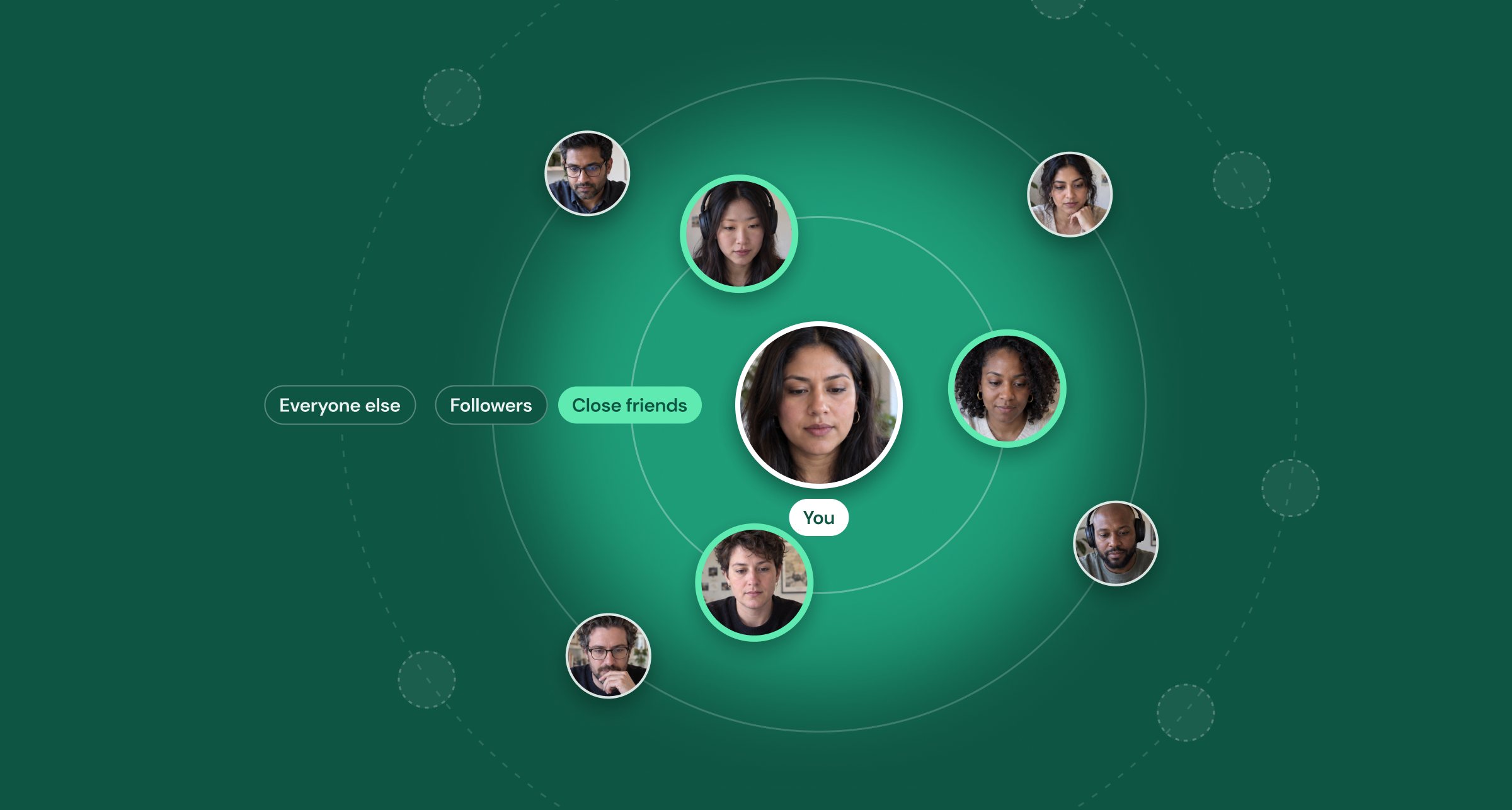
Crews is built for finding your people. You walk into a room of others getting work done, and over time some of those faces become the ones you look for: the regulars, the friends, the small group you'd rather not work without.
Once you've found them, two things should be true. You should be able to use everything Crews offers with them, and you should decide exactly who else gets to see you, find you or join you. Today we're adding the controls to do both.
They're in a new Privacy tab in Settings on the web, and they apply everywhere you appear on Crews.

Who sees your profile
Your profile is how people get to know you: your bio, where you are, your time zone and your links. You choose who sees it. Your name, @username, photo and pronouns always show.
- Public. Anyone can see your profile, including people without a Crews account who open your profile link.
- Followers. Your followers and your close friends see your full profile. Everyone else sees the basics.
- Close friends. Only the people you've chosen as close friends see your full profile.
Each level includes the next, so your close friends always see you.
Off the grid
Want to go further? Turn on Off the grid, and to everyone outside the circle you chose, your account simply doesn't exist: there's no profile page, no public link, you don't appear in search or on the Hosts page, and nobody new can follow you. Choose Close friends and go off the grid, and only your close friends will know you're here.
Whatever you choose applies everywhere: your profile page, the card on your video tile, the People list in a room, the name preview in chat, the Hosts page and the schedule. And whatever you choose, your email address and account details are never shown to other members.
One thing no setting can change: when you're in a session, the people in that room can see the name and photo you joined with. You're there together, and that's part of what makes a room feel like a room.
Followers, on your terms
Unless your profile is Public, following you is a request. You see who's asking, and you approve or decline. Nobody becomes a follower without your yes, and declining is quiet: they aren't told.
You can also remove anyone from your followers at any time, from Settings. Again, they aren't notified. Your list is yours to keep as small as you like.

Close friends
Close friends are the people you trust most on Crews. You choose them in Settings › Privacy, and you can add or remove someone whenever you like. Nobody can ask to be on your list, nobody else can add to it, and nobody can see who's on it.
Your close friends always see your full profile, and they're the only people who can see and join your close-friends sessions.

And wherever you see them on Crews, in a room, on the schedule, in chat or on a profile, your close friends now have a green ring around their photo. It's there to help you spot your people in a busy room. Only you can see it, and nobody is ever told they're on your list.

Sessions for your people
Sometimes you want to keep your friends close and go under the radar for a while: a standing session with the people you know best, or a few weeks of heads-down work without new faces. Now every session you host can be exactly as open as you want it to be.
- Close-friends sessions. Only your close friends can see, book and join, and they can come in at any point while the session runs. There's no link to pass around, nobody but you can invite anyone, and anyone not on your list is turned away.
- Regulars-only sessions. The same protection, for your regulars: the familiar faces you've shared sessions with over time. They can come in at any point too.
- Only I can invite. Turn this on and the people booked into your sessions can't invite anyone else. Invitations come from you.
- Session defaults. Choose who your sessions are for by default: public, invite only, a specific crew, close friends or regulars. Every new session starts there, and you can still change it for any single session.

Personal links
If you're off the grid, how does someone new find you? Only through you. Create a personal link for one person, and whoever opens it first becomes your follower and, if you choose, one of your close friends. Each link works once. You can see whether it's been used, revoke it at any time, and unused links expire after 30 days.

Your name, the way you want it shown
Set your first and last name in Settings › Profile & account, then choose how it appears to others: your full name, your first name and last initial, or your first name only.
Why we built this
People come to Crews for different reasons. Some of you come to meet new people and work next to strangers, and love it. Some of you come for a small circle and want it to stay small. Some of you have a public life somewhere else and want Crews to be the quiet place where you just get work done. All of those are good reasons to be here, and Crews should support every one of them: open enough to find your people, and private enough to keep them close.
We've designed these controls so the private choice is always simple, and so the people who want to be found can still be found easily. Crews can still step in when someone's safety is at stake, and reporting and blocking work exactly as before.
We'll keep building on this. If there's something you need to feel comfortable on Crews that isn't here yet, write to us at hello@withcrews.com. We read every message.
Review your privacy settings →
— Skye, founder of Crews
Get it done with people in the room
Pick a session, say what you're working on, and start. Other people are working too, and that's usually enough to keep you going.
Join a session free